
How to Log in CIMA (e-book )
Students who are using CIMA (e-book)
Step 1. You will receive an email from CIMA (online theory assignments) with set-up information. “An account has been created for you at Milady.”
Step 2. To log into your account, click this link: https://www.miladycima.com
**Click the > button, click on “Log in with my user id”, and enter your user id and password
(from HNA admin). You will be asked to change your password when you log in for the first time.
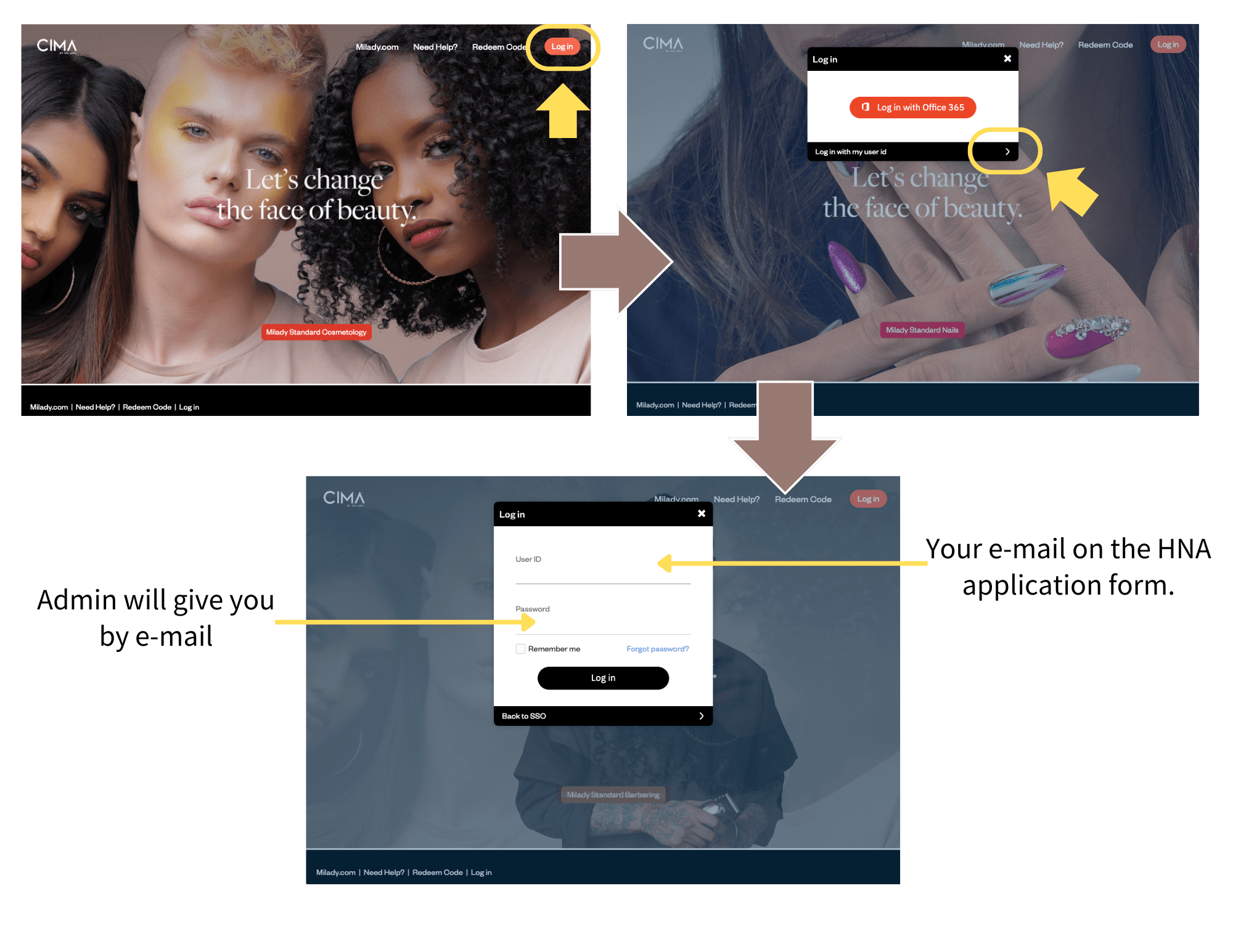
STUDENT ID: Your e-mail on the HNA application form.
PASSCODE: Admin will give you by e-mail
Here’s a link to help you get started with the program.
https://www.milady.com/cima-help-student
Step 3. You have to complete the workbook activities and take a chapter exam.